
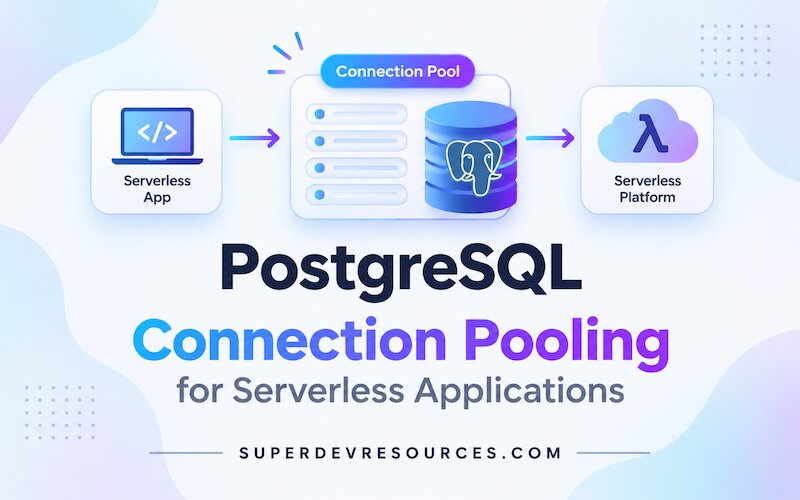
A serverless function can finish a database query quickly and still leave a PostgreSQL connection open. When many function instances start at once, their separate connection pools can consume the database's connection limit even if each instance handles only a little traffic.
Connection pooling reuses connections, but it does not create unlimited database capacity. The right setup depends on where your application runs, how its driver manages connections, and whether your queries depend on session state. This guide walks through those choices for a small application.
Understand the two kinds of connection pool
An application-side pool lives in your database driver or application server. It reuses connections for requests handled by that process. A server-side pooler sits between your application and PostgreSQL and can share a smaller set of database connections among many clients.
A long-running backend on one or a few machines may only need a bounded application-side pool. Serverless functions and horizontally scaled services can create many independent processes, each with its own pool. A server-side pooler is often useful when that connection pattern would otherwise overwhelm the database.
Estimate the upper bound before choosing pool sizes:
application instances × processes per instance × pool size per process
For example, 40 active processes with a pool maximum of 10 could request up to 400 client connections. Those clients connect either to PostgreSQL directly or to a pooler, depending on your endpoint. Add workers, scheduled jobs, migrations, dashboards, and other services to the estimate. The actual number may be lower, but planning around one process hides the effect of scaling.
The pooler can reduce the number of PostgreSQL backend connections, but it has its own client limits and queues. It cannot make the database execute more work than its resources allow.
Choose a connection method
Use the connection string and endpoint supplied by your database provider. Providers may offer different modes, limits, and network addresses; do not assume that a connection string or port from one service works for another.
| Connection method | Good fit | Main trade-off |
|---|---|---|
| Direct connection | A persistent backend, migrations, backups, or tools that need a full PostgreSQL session | Each client uses a database connection for as long as it remains connected |
| Session pooling | A client that needs session behavior, or a persistent application that needs a provider's pooler endpoint | A database connection stays assigned to the client for the whole session, so idle clients still occupy connections |
| Transaction pooling | Serverless functions and other clients that need a database connection only while a transaction runs | Session-level state does not reliably carry across transactions |
PgBouncer documents these as session and transaction pooling modes. A transaction pooler assigns a server connection for a transaction and returns it to the pool when that transaction ends. Keep transactions short so other clients can use the connection.
For example, Supabase recommends its shared transaction pooler for serverless and edge functions, while its direct connection is intended for persistent backends. That is a provider-specific example, not a universal endpoint rule. Follow your provider's current connection guide for the correct host, port, and supported modes.
Reuse a small application-side pool
Create your driver's pool once per process, not inside a function that runs for every request. With the Node.js pg driver, for example:
import { Pool } from "pg";

export const pool = new Pool({
  connectionString: process.env.DATABASE_URL,
  max: 1,
});
The connection string should come from your provider's dashboard and a protected environment variable, not from source control. The max setting limits connections for this process only. With many warm serverless processes, the total potential connections still grow with the number of processes.
Starting with a small per-process pool can reduce connection pressure. It can also make requests wait when multiple invocations in one process need a connection at the same time. Measure pool wait time and request latency before raising the limit; check your function platform's concurrency model as well.
In node-postgres, Pool defaults to as many as 10 clients. Its documentation exposes totalCount, idleCount, and waitingCount, which help distinguish a busy application-side pool from a database connection limit. If you acquire a client directly with pool.connect(), release it when the operation is done; an unreleased client can leave later requests waiting.
If you use a transaction, keep every statement in that transaction on the same acquired client. A convenience call such as pool.query() may use a different client for each query, so it is not suitable for a multi-statement transaction.
Check transaction-pooling compatibility
Transaction pooling changes the meaning of a connection: the next transaction might run on a different PostgreSQL server connection. Do not rely on session state surviving between transactions. Common trouble spots include:
- Session-level
SETorRESETsettings. - Temporary tables that must remain available after a transaction.
LISTENsubscriptions and session-level advisory locks.- SQL
PREPAREstatements or driver-managed prepared statements. - Cursors that are expected to live beyond the current transaction.
The exact support depends on the pooler version, its configuration, and the driver. PgBouncer, for example, documents protocol-level prepared-plan support when max_prepared_statements is enabled. Supabase's shared transaction pooler documents different prepared-statement limitations. Check both the database provider's current guidance and your driver's documentation before switching modes.
If a feature needs session state, keep it inside one transaction when the provider and driver support that approach, choose session pooling, or use a direct connection for that workload. Do not disable transaction handling or prepared statements across an application without checking how that changes its behavior.
Monitor clients, backend connections, and waiting
Track more than the database's total connection count. Watch:
- Application-side pool totals, idle clients, and waiting requests.
- Client connections accepted by the pooler.
- Backend connections opened from the pooler to PostgreSQL.
- Database connections used directly by other services and jobs.
- Connection errors, request latency, and transactions that remain open.
PostgreSQL's pg_stat_activity view can show current server connections. This query groups visible connections by state:
SELECT state, count(*) AS connections
FROM pg_stat_activity
GROUP BY state
ORDER BY connections DESC;
Managed database providers may limit which connection details your role can see, and their dashboards may refresh periodically rather than continuously. Compare those views with your application's pool metrics and the provider's documented connection limits.
For Supabase, for example, the shared and dedicated poolers have separate client-connection limits, while the pool size controls backend connections. Direct connections and pooler backend connections still count against PostgreSQL's total max_connections; provider services also use some of that capacity. Leave room for those connections rather than sizing application pools to the server's full limit.
Increasing max_connections is not a substitute for understanding the demand. PostgreSQL allocates some resources based on this setting, and changing it requires a server restart. Reduce unnecessary pools or set a measured pool size first; raise server limits only when the provider and the database's available resources support it.
If requests time out while the database still has room, investigate the application pool, long-running queries, unreleased clients, and transactions that hold connections too long. If the pooler rejects clients, check its client limit separately from the number of backend connections it can open.
A practical setup checklist
- Count every application process, worker, and job that can connect to PostgreSQL.
- Multiply by each process's maximum pool size to estimate application-side clients, then compare them with the pooler's client limit and PostgreSQL's backend-connection budget.
- Choose direct, session-pooled, or transaction-pooled access based on the workload and provider.
- Create the application pool once per process and begin with a conservative size.
- Verify the driver's prepared-statement and session-state behavior before using transaction mode.
- Monitor application waiters, pooler client connections, PostgreSQL backend connections, and request latency.
- Adjust one limit at a time and confirm that the queue or error you intended to improve actually changes.
Pooling works best as part of a capacity plan, not as a quick fix for every database slowdown. For help deciding whether PostgreSQL fits your deployment, see our guide to SQLite versus PostgreSQL for small web apps. To investigate slow queries, waits, and other database bottlenecks, read how to monitor and improve database performance.
